For some reason lately, Apple has not been able to keep everyone's mouth shut about new product releases and updates - all I can say is good for us. I have included some more of the leaked pics of the new iPhone 4G and iPod below.
( More... )
Monday, May 24, 2010

How-To: Transfer Music from an iPod to Another Computer

So I received a question via private message on FaceBook regarding transferring music from an iPod to another computer and thought it would be a great opportunity to answer this question on the blog, since I assume other people may have the same question. So let's get to it...
The Question:
How can I transfer my music from my iPod to another computer? For some reason or another, my laptop crashed. I'm trying get my music onto my desktop...Do you know how?
( More... )
Thursday, May 20, 2010
Mac Design Awards
Well we've all heard by now that Apple has left out the Mac folk from this year's Apple Design Awards festivities. There is even a shallow Mac-based theme for the various session for WWDC '10. But have no fear, it looks like Ars Technica may be stepping up to the plate.

Ars Technica has decided to hold their own design awards for Mac applications. This is very interesting as it may finally open the gate to more awards Mac developers can receive besides waiting to see what Apple decides what not to do. Either way, hurry up and submit your nominations as they're taking submissions until May 21st (TOMORROW !!!). My biased opinion hopes Cram can pull out something. :)
Orignal From: Mac Design Awards
Ars Technica has decided to hold their own design awards for Mac applications. This is very interesting as it may finally open the gate to more awards Mac developers can receive besides waiting to see what Apple decides what not to do. Either way, hurry up and submit your nominations as they're taking submissions until May 21st (TOMORROW !!!). My biased opinion hopes Cram can pull out something. :)
Orignal From: Mac Design Awards
iPhone Sales Up in First Quarter 2010
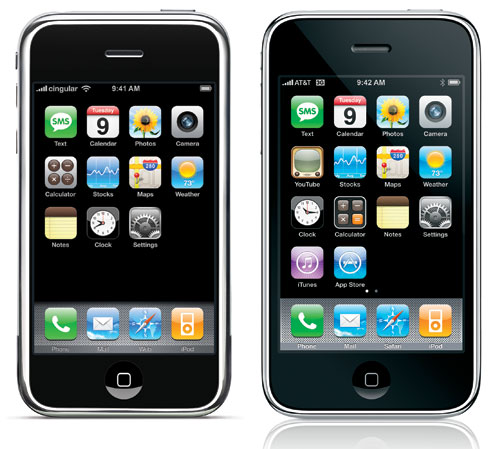 Just when I thought EVERYONE (ok at least every other person) had an iPhone, I was very much mistaken - believe it or not there is still lots of market share for the iPhone to capture.
 ( More... )
Analysts Think iPad will Outsell Mac
 Yet another "prediction" by the greats of the industry - the Analysts, that the iPad will outsell the Mac. As this is currently accurate because of it's new release in the US only, a lot of people are still skeptical of such high predictions based on a month of "new gadget" hype. The iPad in fact is still in high demand and is going for high prices on eBay.
 ( More... )
Tuesday, May 18, 2010
iPad Controls Blimp
The guys over at BreakfastNY.com have created a modified BlimpDuino which is controlled by the iPad's accelerometer through a custom software which connects to a built in computer. The iPad thus becomes the real controller which also displays what the blimp sees via an attached front camera.
It's awesome, check out the video after the break.
Thanks to MacStories for the post!
Orignal From: iPad Controls Blimp
Quick-Tip: Quicker Caplocking on the iPhone and iPod

When I first got the iPhone I was amazed at it's simplicity. "Wow" I thought. "Almost everything works as it should" . Well, even though that is not so much the case anymore, the caplock feature falls into this category and I didn't realize it until later.
As soon as I discovered that I didn't have to press the caplocks button each and every time I wanted a letter caplocked, I quite frankly felt, well....silly ;) and even a little upset that I didn't realize this earlier, lol. How much time could I have saved if I would have simply used one of the two easy caplocking methods that exist.
So to spare anyone else the "sillset" moment (a horrible attempt at merging the word silly and upset ) , I give you the two simple caplocking methods.
For a Quick Fix:
- Simply hold down shift (the "UP" arrow on the left of the keyboard) as you type. Even though I found this a little difficult to do as I typed anything near the shift button.
Which is why I prefer the next method...
Change your settings:
- From your iPhone Home screen, tap "Settings".
- Scroll down and tap on "General"
- Scroll down on this screen and tap on "Keyboard"
- Tap on "Enable Cap Lock"
- Press the "Home" button (the large button at the bottom on your iPhone) to return to your home.
Now test out your caplocks settings by double tapping the caplocks button and typing multiple letters.
See, I told you it would work!
Chao until next time my iPhone buddies! Also, if you have any questions, how-to's, or tips you would like me to cover, just leave a comment and let me know. We are here to help!
Orignal From: Quick-Tip: Quicker Caplocking on the iPhone and iPod
Subscribe to:
Posts (Atom)

 Posts
Posts


